
Company profile
The company profile holds the details that appear on your invoices and in your e-invoices: the registered name, the address, the country, the base currency and the logo.
Open it from Settings›Company.
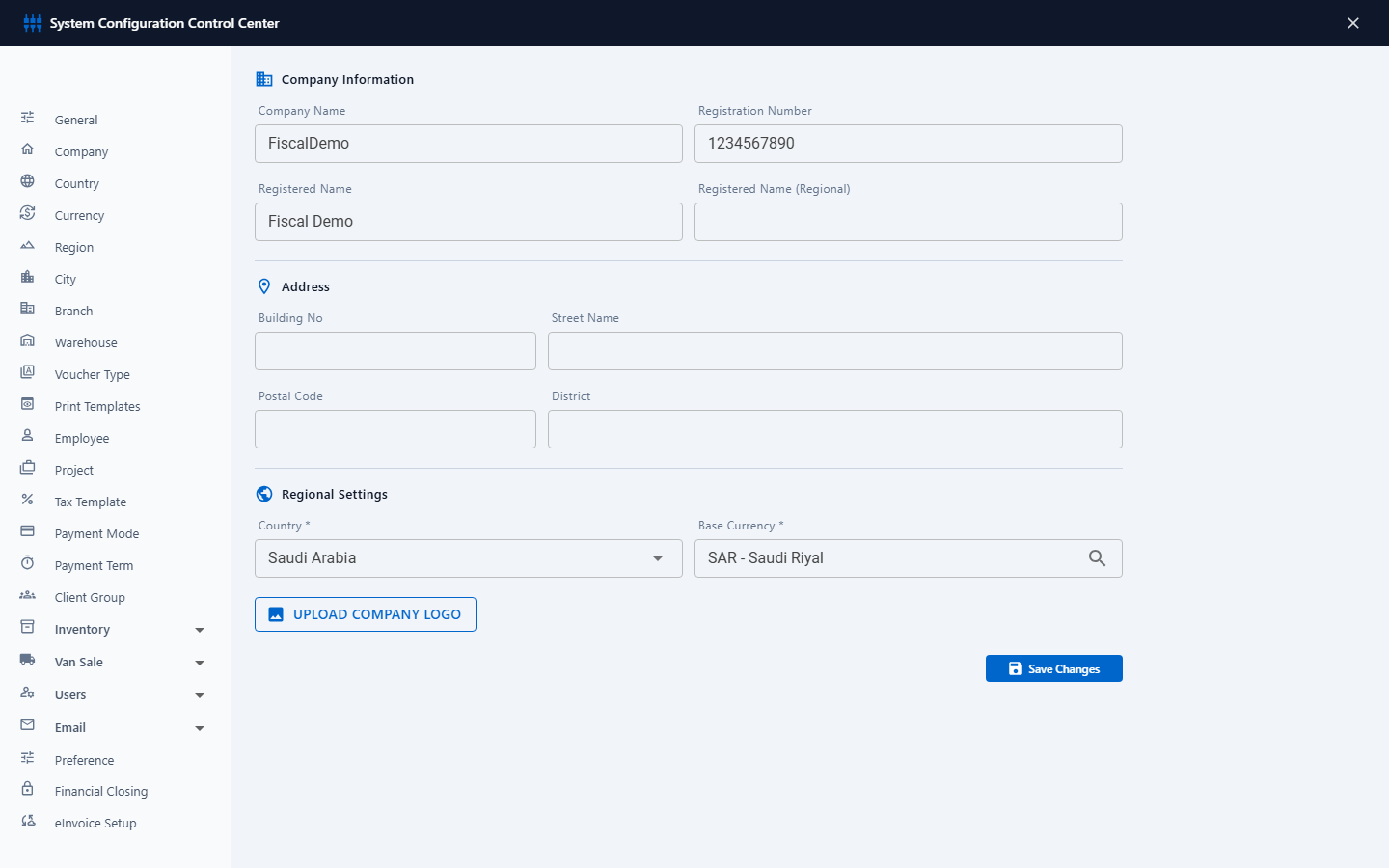
Company information
The Company Name, Registration Number, Registered Name and Registered Name (Regional) (the Arabic name) are set when your Fiscal account is created and can't be edited here. They appear on printed documents and in ZATCA e-invoices. If they need to change, for example after a change in your commercial registration, contact Exler IT Hub support.
Address
Enter the address in the national address format: Building No, Street Name, Postal Code and District. In Saudi Arabia these fields are part of a valid tax invoice, so fill in all of them.
Regional settings
| Field | What it does |
|---|---|
| Country * | The country the company is registered in. |
| Base Currency * | The currency your books are kept in, for example SAR or AED. Every amount in the accounts and reports is in this currency. Start typing to search for it. |
Choose the base currency before you enter any documents, and don't change it afterwards: amounts that were already posted are not converted.
Company logo
- Click Upload Company Logo and choose a PNG or JPG file. A preview appears under the button.
- Click Save Changes.
The logo appears on printed documents and on the PDFs you email, when the print template includes it (see Print templates). A wide logo on a white or transparent background prints best.