
HR and payroll: overview
Keep each employee's HR file, collect attendance, work out the monthly payroll and pay it, all in the same books as the rest of the business.
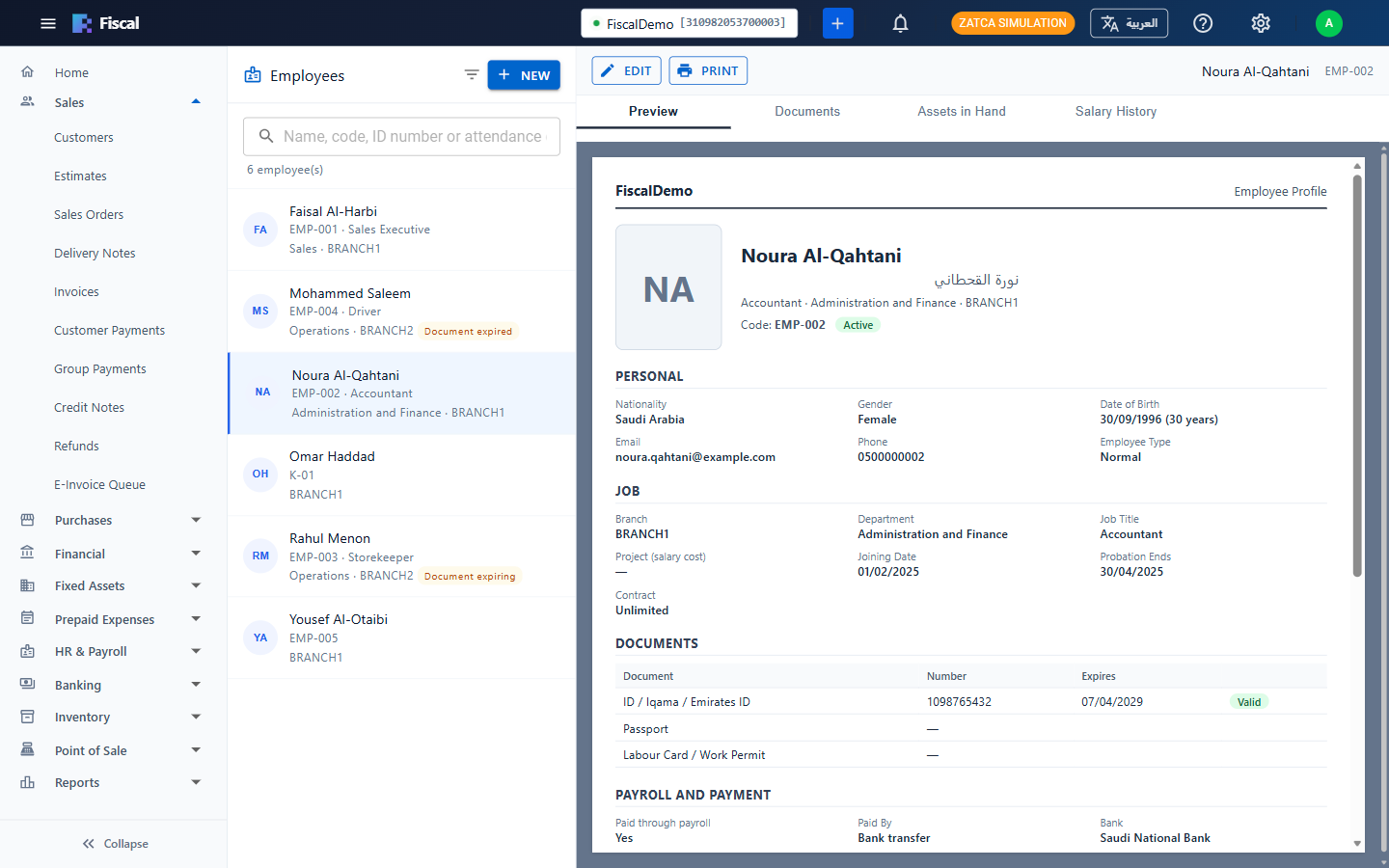
What it covers
- Employee HR files: job, branch, department, contract, ID, passport and labour card with their expiry dates, bank details, social insurance and the salary structure.
- Attendance: punches sent by ZKTeco clocks over the internet, or imported from Excel, worked out into days with late arrivals, absences and overtime.
- Payroll: one payroll per branch per month, worked out from the salary structure, attendance and social insurance (GOSI in Saudi Arabia, GPSSA in the UAE), then approved and posted to the accounts.
- Paying salaries: salary payments from a bank or cash account, payslips in English and Arabic, the UAE WPS salary file and a bank salary sheet for Saudi banks.
- Reports: the payroll register, social insurance contributions and salaries still to pay.
HR and payroll is part of selected plans. When your plan doesn't include it, the HR & Payroll menu is hidden.
Where to find it
Everything is under HR & Payroll in the menu: Employees, Attendance, Attendance Clocks, Payroll, Payroll Reports, Expiring Documents and HR & Payroll Setup. Who can open each screen is set with the HR and payroll rights in User groups and rights.
Getting started
- Check the accounts, working hours, weekend and overtime rates in HR & Payroll Setup (see HR and payroll setup).
- Check the pay components (basic salary, housing, transport…) and the social insurance rates.
- Add the departments, job titles and this year's public holidays.
- Fill in each employee's HR file and salary structure (see Employee HR files).
- If you use attendance, connect the clocks or import the punches (see Attendance).
- At the end of the month, work out the payroll, approve it, post it and pay the salaries (see Running the monthly payroll).
Can't find what you need? Write to info@exlervision.com or chat with us on WhatsApp.