
Closing the books
Once a period is reconciled and reported, for example after you file the VAT return, close the books up to that date. Nobody can then change the figures you reported by accident.
Open Settings›Financial Closing. Anyone with the View right can see the closing date. Closing, reopening and unlocks need the Modify right on Financial Closing.
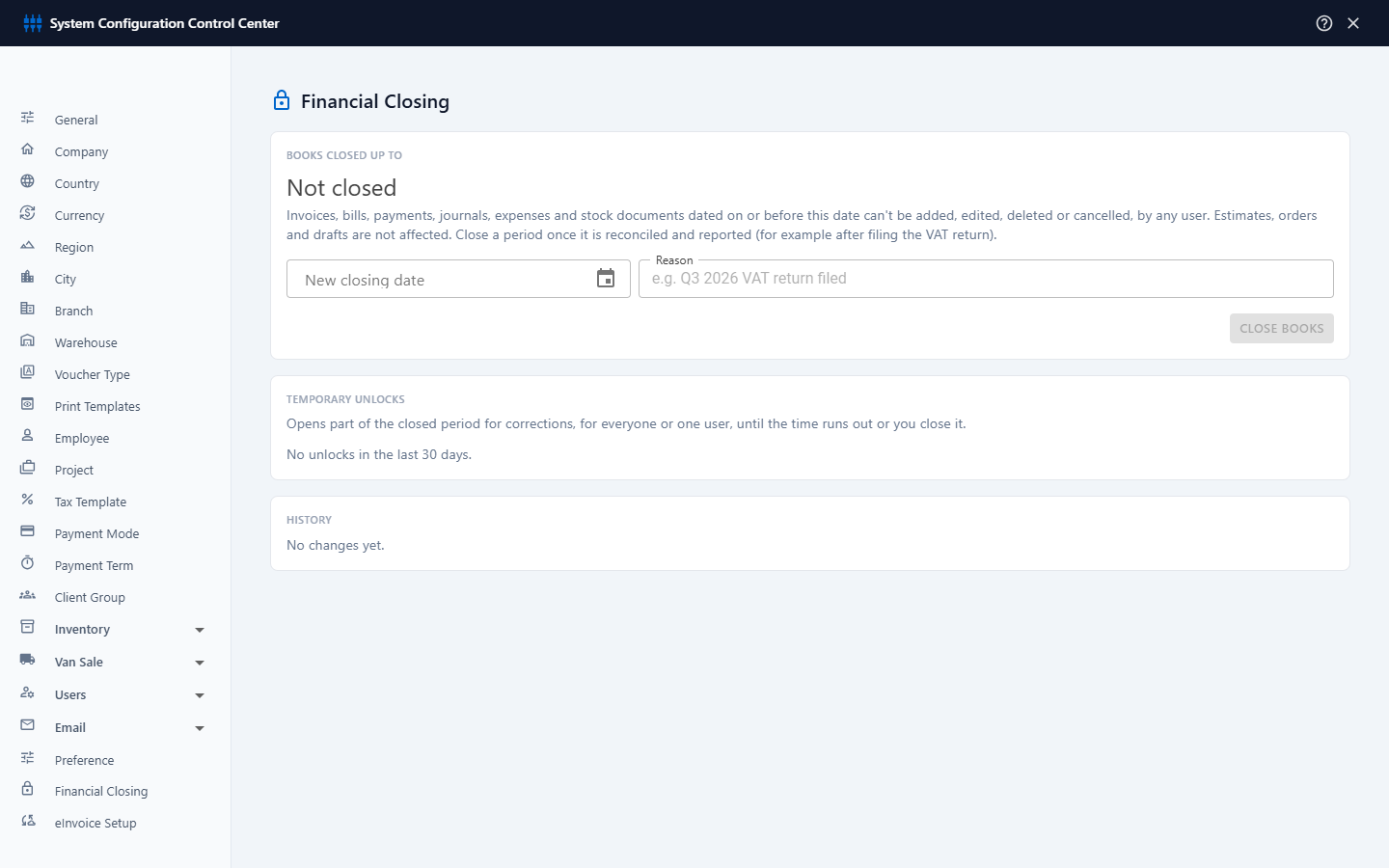
What closing does
Invoices, bills, payments, journals, expenses and stock documents dated on or before the closing date can't be added, edited, deleted or cancelled, by any user, including the master user. In a document center, Edit and Cancel are switched off for such documents, and a notice shows the closing date.
Estimates, orders and drafts are not affected. A draft can still be edited, and its date moved into the open period.
Close the books
- Under Books Closed Up To, enter the New closing date, for example the last day of the VAT quarter. It can't be in the future.
- Enter a Reason (required), for example Q3 2026 VAT return filed.
- Click Close Books.
To move the date later, close again with the new date. To reopen everything, click Remove Closing and give a reason.
Temporary unlocks
Sometimes a closed period needs a correction, for example an adjustment asked for by your auditor. Instead of removing the closing date, open only the days you need, for a limited time:
- Under Temporary Unlocks, enter the From and To dates to open. They must be within the closed period.
- In For, choose All users or one user.
- In Open for, choose how long the unlock lasts: from 1 hour to 30 days.
- Enter a Reason, for example Auditor adjustment to March depreciation, and click Open Unlock.
The unlock ends on its own when the time runs out. To end it earlier, click Close next to it. The table lists the unlocks of the last 30 days, with their dates, who they are for, when they end, who opened them and their status.
History
The History table records every change to the closing date and every unlock: when it happened, what changed and who did it. Show it to your auditor when they ask how the reported figures were protected.
A good routine: reconcile the bank accounts, check the VAT report, file the return, then close the books up to the last day of that period.